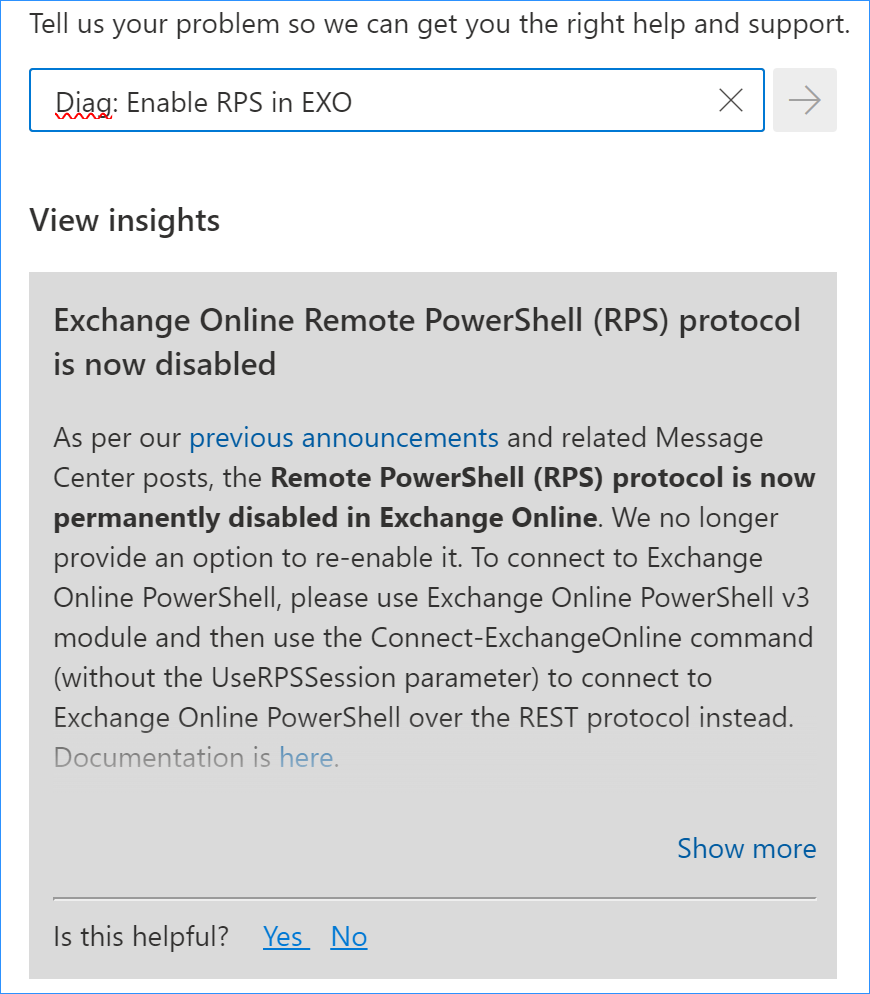
[Update]: This blog post was first published on January 27, 2023. Currently, RPS is blocked and the Exchange Online PowerShell module V3 is needed to manage Exchange Online with PowerShell.
With Remote PowerShell deprecated, updating to the Exchange Online V3 module is essential for managing Exchange Online via PowerShell. Find out how to perform the update.
Update Exchange Online PowerShell module
Currently, RPS is blocked and the Exchange Online PowerShell module V3 is needed to manage Exchange Online with PowerShell. If you’re still using New-PSSession or a legacy ExchangeOnlineManagement module, you need to update your methods, and do it quick. This official guide from Microsoft recommends you uninstall the old EXO module (V2) and then install the new one. I’m sure there is a valid reason to push admins down this path, but I find it easier to simply update the old module. The only side-effect of this method was that I’ve seen a double IntelliSense suggestion for e.g. Connect-ExchangeOnline. The side effect prevailed for about 5 minutes after restarting the Windows PowerShell ISE, so I wouldn’t exactly call it troublesome.
So, to update the Exchange Online PowerShell module, simply run your Exchange Online PowerShell console with admin permissions and use the following cmdlet:
Update-Module -Name ExchangeOnlineManagement
Once you agree to everything, the new and shiny V3 module should install in a moment.
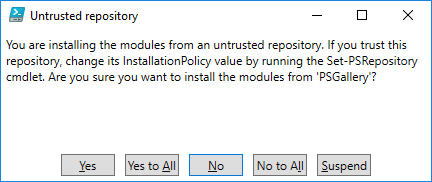
If, for some reason, you’re unable to run an update this way, you can uninstall the old module with:
Uninstall-Module ExchangeOnlineManagement
and install a new one from the PowerShell gallery.
How to connect to Exchange Online with PowerShell
In short, you need to use Connect-ExchangeOnline and stop using New-PSSession for Exchange Online connections. That’s old news, though. I’ve recommended switching to the new method long ago in How to connect to Exchange Online with PowerShell.
The new method supports MFA, is more secure and, most importantly, it works.
About Exchange Online PowerShell V3 module
Now that your set-up is future-proof, there’s the question of why the change was needed. What’s the big deal? How is the V3 module better?
The change can be summed up with one keyword: security. RPS (Remote PowerShell) Protocol used in New-PSSession or with the -UseRPSSession switch required Basic authentication in WinRM on the client computer.
Anyway, forcing admins to switch to EXO V3 module is a good step forward.
Another thing is that V3 (like the V2 module) is backed by the REST API. However, according to this Microsoft’s website, the new, REST API-powered cmdlets have the same names and work just like their legacy equivalents. What’s more, they should have better security, performance and reliability. Theoretically, there’s no need to update any scripts after you change the way you connect to PowerShell. However, if you come across any problems, or have any concerns, Microsoft provides a dedicated email address to hear them: RPSdeprecation@service.microsoft.com.
When to update
The answer is: now. Below, I’m summing up the RPS deprecation timeline, which evolved in the meantime, but it doesn’t change the fact that the end has come for RPS.
Microsoft announced (and later changed the timeline) that they will start to block RPS (Remote PowerShell) Protocol in Exchange Online. Here’s the timeline of RPS deprecation:
- April 1, 2023 – new tenants have RPS blocked by default. It can be re-enabled until June 15, 2023.
- May 2023 – RPS gets disabled for tenants which never used it and haven’t used the diagnostic tool to prolong its life.
- June 15, 2023 – that’s when RPS starts getting blocked even if it had been used in your tenant. And if the tenant was created after April 1, 2023, that’s when your opportunity to re-enable RPS ends.
- July 1, 2023 – all new tenants have RPS blocked without a way to re-enable it.
- October 2023 – final end of the line for RPS. It’s when Microsoft starts blocking it for every tenant.
You should introduce the new, more secure and reliable ways to manage your Exchange Online with PowerShell. Blocking Remote PowerShell makes your tenant more secure. The problem is that your company might still be using hundreds of scripts that rely on RPS. Some third-party tools might use RPS to configure some settings in your tenant as well. That’s why Microsoft gave admins a way to delay the inevitable. You could have used the Microsoft admin center to prolong support for RPS in Exchange Online for your tenant until the end of September 2023.
How you could have enabled Remote PowerShell in Exchange Online
Switching to newer methods takes time. That’s why Microsoft introduced a tool that allowed global admins to keep RPS enabled until later or re-enable it if it’s already been blocked. It won’t work now, though. When you try to use the RPS diagnostic tool after clicking this link, you will only get a note that the RPS is disabled: